 Comment Bank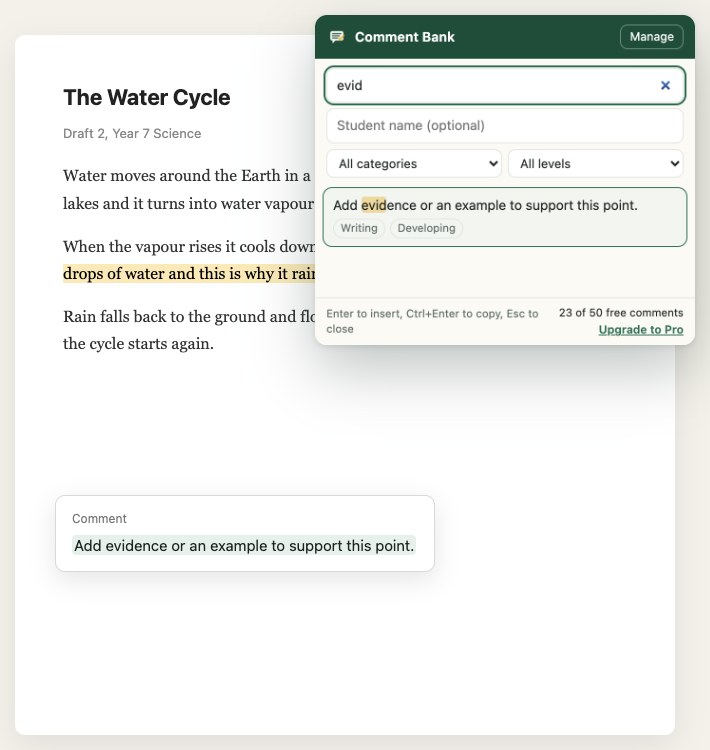
How it works
It takes about two seconds per comment once your bank is set up.
- Click where you type.
A Google Doc, a Classroom private comment, an LMS feedback box or any other text field. - Press Alt Shift C.
The picker opens. Type a few letters to find the comment you want. - Press Enter.
The comment is inserted where your cursor was. You can also right-click and choose from the menu.
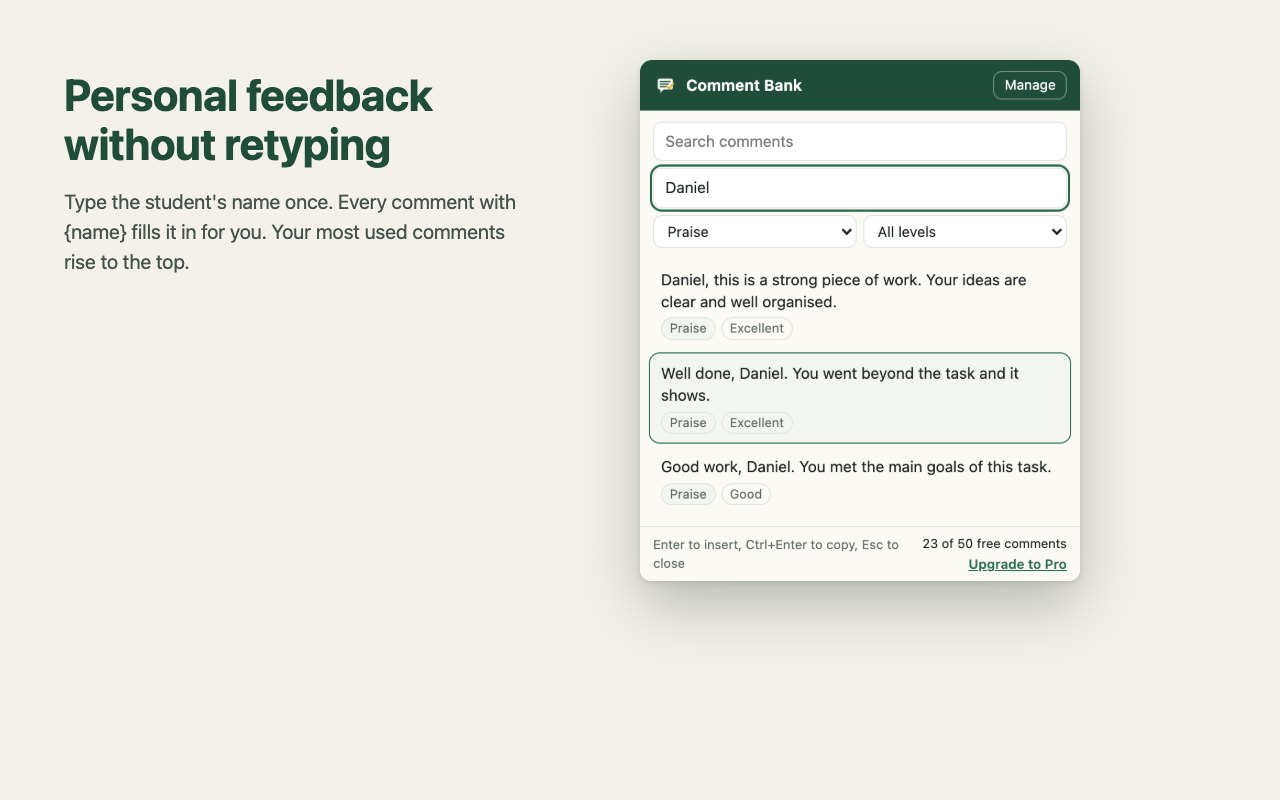
Personal, without retyping
Write {name} in a comment. Type the student's name once in the picker and every comment uses it. The comments you use most move to the top.
Organised the way you mark
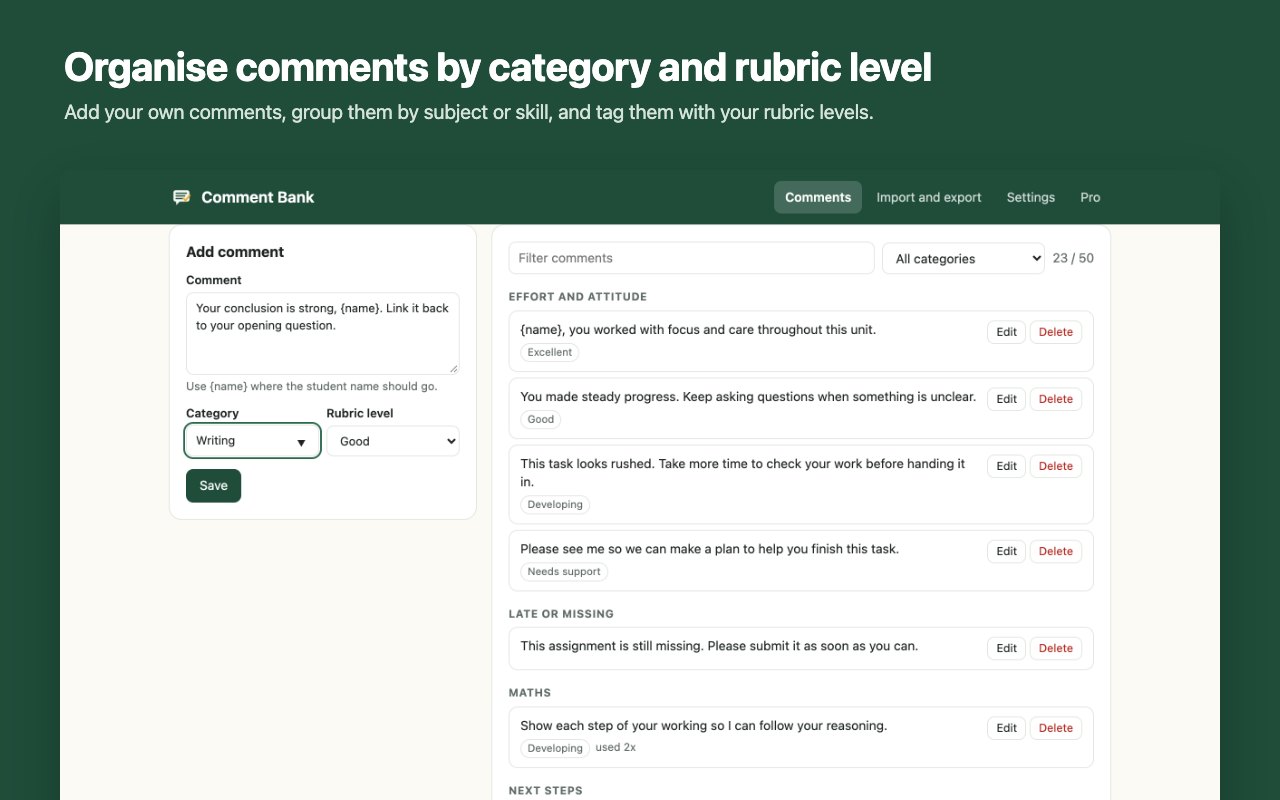
Group comments by subject or skill and tag them with your own rubric levels. Filter by both when you are marking a stack of work.
Private by design
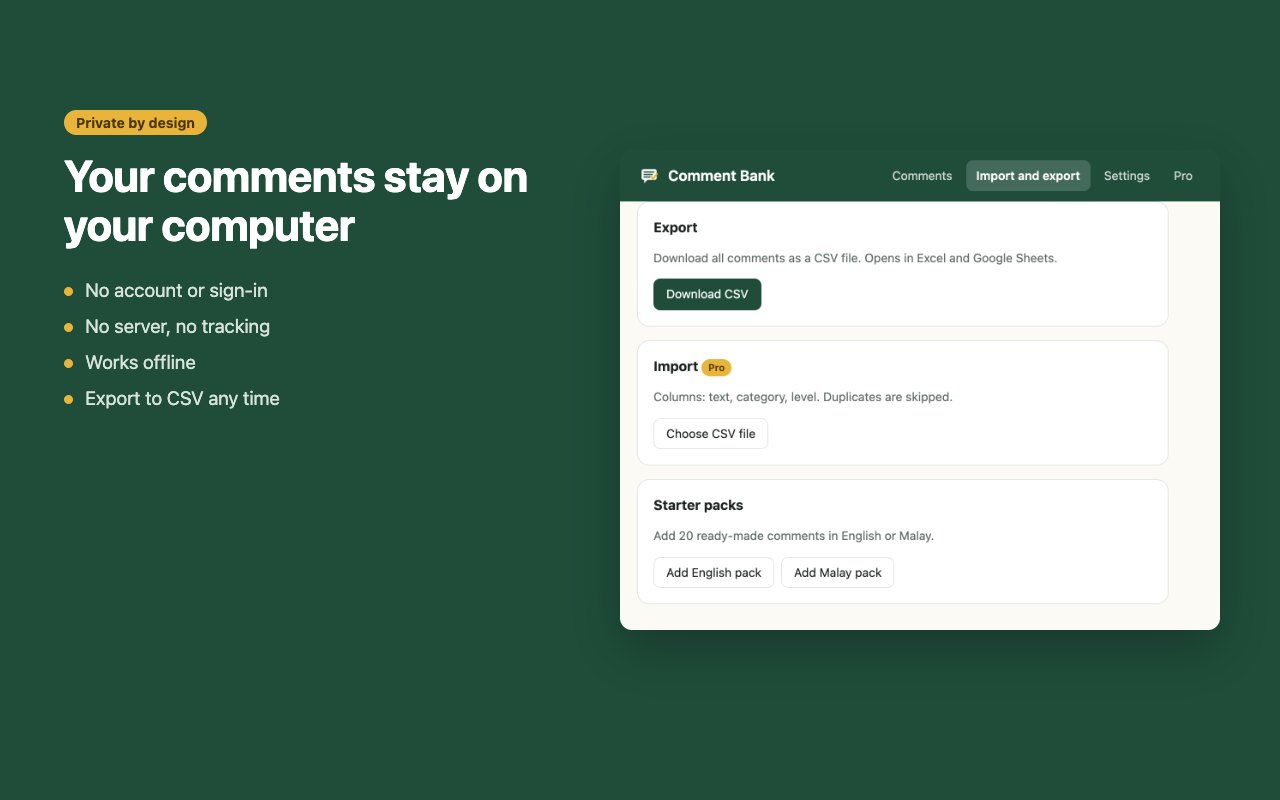
There is no account and no server. Comments are stored in your browser only, and the extension makes no network requests. Export everything to CSV whenever you like.
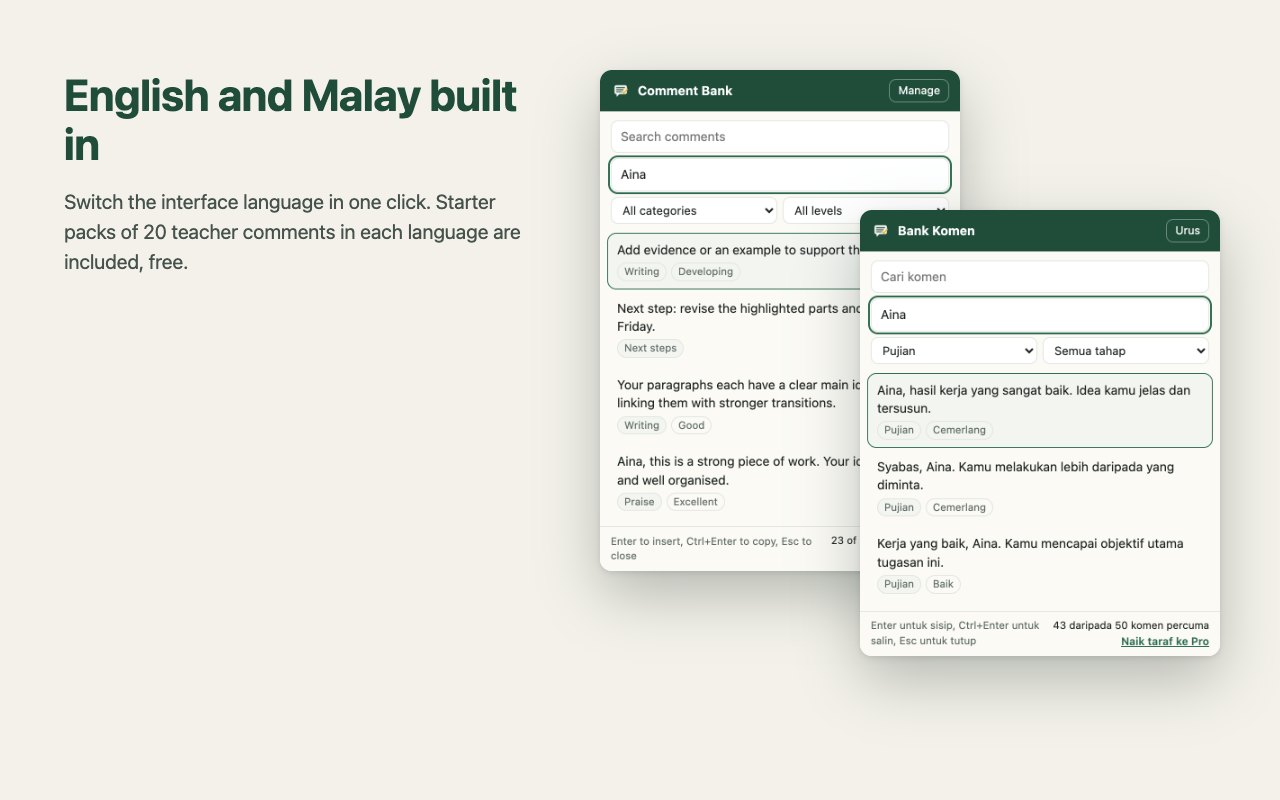
English and Malay
Switch the interface between English and Malay. Each language comes with a free starter pack of 20 teacher comments to edit or delete.
Pricing
Start free. Upgrade once if your bank grows past 50 comments.
Free
USD 0
- Up to 50 comments
- Shortcut and right-click insert
- {name} placeholder
- Categories and rubric levels
- English and Malay starter packs
- CSV export
Pro
USD 12 one-time payment
- Everything in Free
- Unlimited comments
- CSV import from Excel or Google Sheets
- All 1.x updates included
- No subscription
After payment you receive a license key by email. Paste it into the extension under Pro. Taxes may apply depending on your country. 14-day money-back guarantee.
Payments are processed by Paddle.com, our reseller and Merchant of Record, who handles billing, taxes and invoices.
Questions
Which websites does it work on?
Google Docs, Google Classroom private comments, and most websites with a text box or rich text editor, including many learning platforms. If a page does not accept inserted text, the comment is copied instead and you can paste it with Ctrl+V (Cmd+V on Mac).
Do I need an account?
No. Install it and start using it. There is nothing to sign in to.
Where are my comments stored?
In your browser's local extension storage on your computer. They are not uploaded anywhere. Use CSV export to back them up or move them to another computer.
Can I use Pro on more than one computer?
Yes. A Pro license is for one teacher. You can use it on any computer you personally use.
Can my school buy licenses for several teachers?
Yes. Each teacher needs one license. Email us for a quote on 10 or more.
I lost my license key.
Email us from the address you used at checkout and we will resend it.
What if it does not work for me?
Pro comes with a 14-day money-back guarantee. See the refund policy.